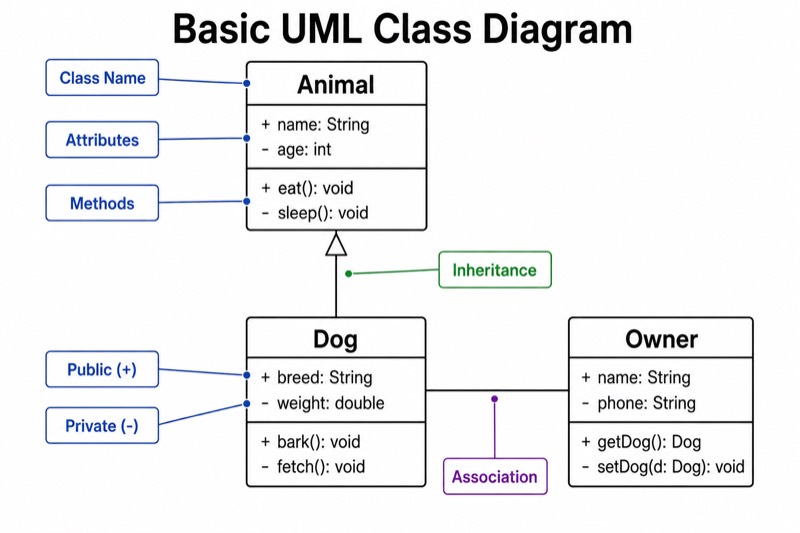
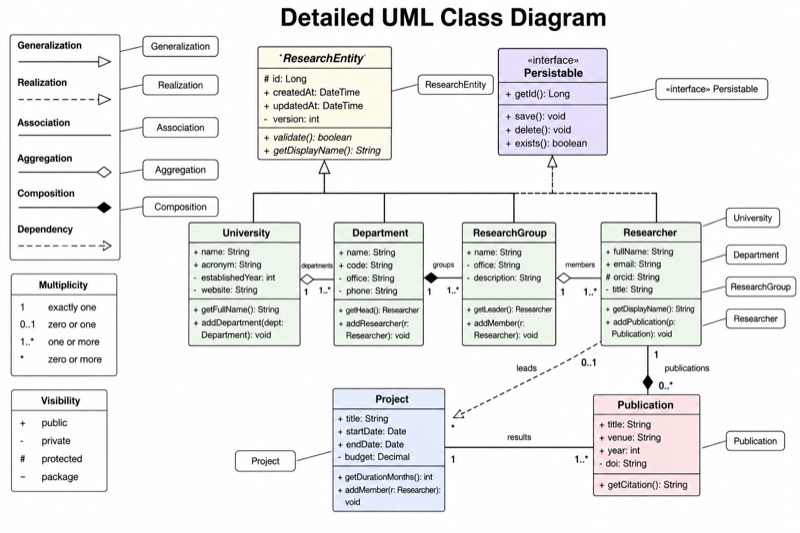
Unlabeled UML Class Diagram (Blank Worksheet)
Unlabeled UML Class Diagram (Blank Worksheet) — an alternative version of the UML Class Diagram, generated by AI and fully editable. Download the PNG for quizzes, homework or slides.
✓ Accurate labels ✓ Edit text after generation ✓ PNG for papers, posters & slides
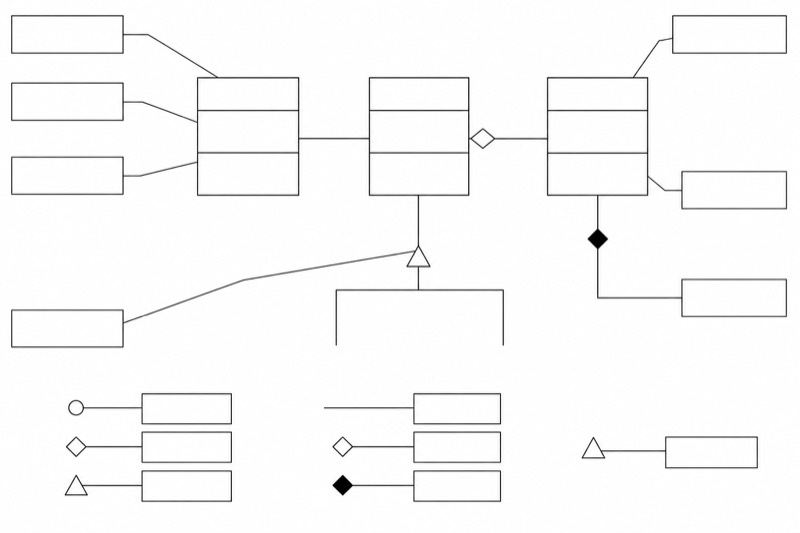 OUTPUT · 16:9 · PNG
What this diagram shows
This unlabeled UML class diagram (blank worksheet) presents three class boxes, each divided into compartments for a class name, attributes, and methods. It also includes inheritance, association, aggregation, and composition connectors, together with the visibility symbols +, -, and #. Unlike the standard reference diagram, it contains no words, letters, numbers, or completed labels. Thin leader lines connect important structures to equal-sized blank boxes outside the diagram. This version removes the answers so students must identify and supply the missing UML terminology themselves.
Read the worksheet by first examining the three compartments in each class box, then tracing every connector between classes. Students can write terms such as class name, attribute, method, inheritance, association, aggregation, composition, public, private, and protected in the external blank boxes assigned by the teacher. The hollow triangle indicates inheritance, the plain line indicates association, the hollow diamond indicates aggregation, and the filled diamond indicates composition. Unlike the standard labeled diagram, this blank version supports active recall, diagnostic assessment, and handwriting practice rather than immediate reference.
Teaching tips
- In-class quiz: print one copy per student and ask learners to complete the blank callout boxes without notes, then compare their answers with the standard labeled UML class diagram.
- Homework: require students to label every compartment, relationship endpoint, diamond, arrowhead, and visibility symbol, and add a short explanation of how aggregation differs from composition.
- Presentation slide: display the blank worksheet before revealing the standard diagram, inviting students to identify one structure at a time and justify each answer aloud.
- Revision outline or printed handout: place the unlabeled version beside a completed reference diagram so students can cover the answers, test themselves, and correct misconceptions.
- Paper or report figure: use the clean blank structure as an assessment example, then explain the expected UML notation in the surrounding caption or discussion rather than inside the diagram.
FAQ about this diagram
Why use this blank worksheet instead of the standard labeled UML class diagram?
The standard diagram is designed for explanation and quick reference, whereas this version deliberately removes all terminology. Reconstructing the labels requires active recall and reveals whether students can distinguish class compartments, relationship symbols, and visibility notation without visual prompts.
What should students identify in the empty label boxes?
Expected answers may include class name, attributes, methods, inheritance, association, aggregation, composition, and the public, private, and protected meanings of +, -, and #. Teachers may assign only selected boxes when assessing one topic, such as relationship semantics or member visibility.