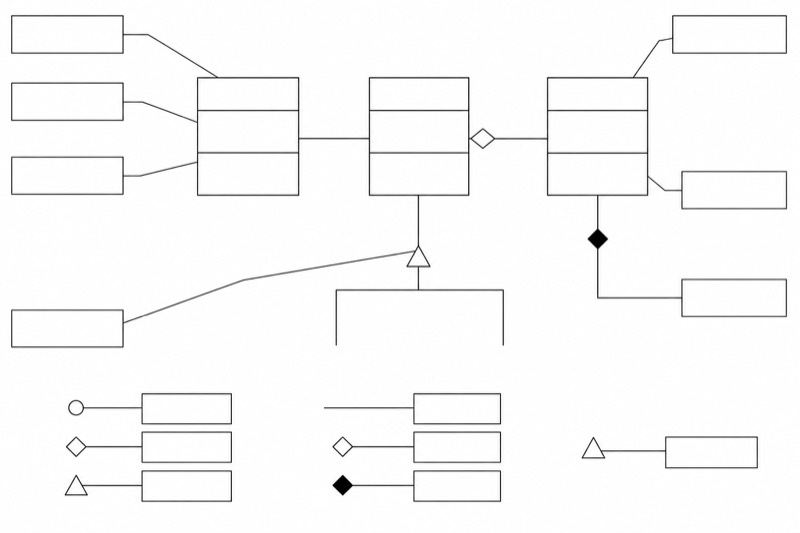
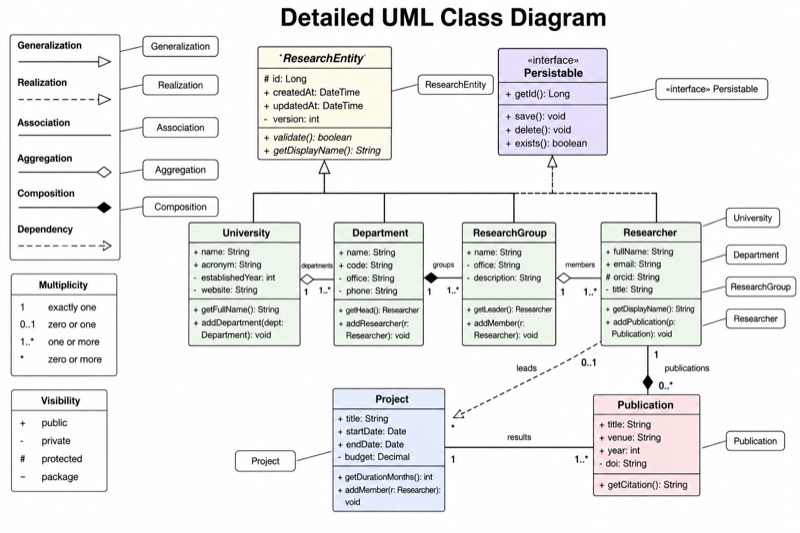
Simple UML Class Diagram for Middle School
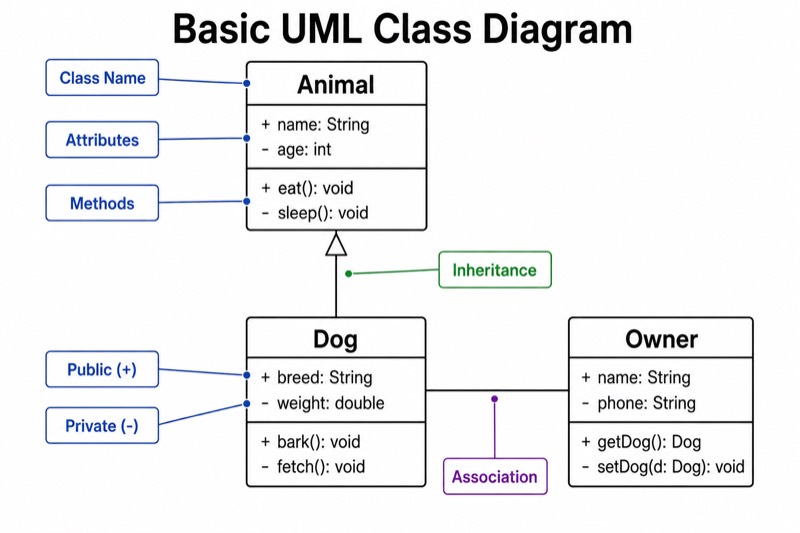
Simple UML Class Diagram for Middle School — an alternative version of the UML Class Diagram, generated by AI and fully editable. Download the PNG for quizzes, homework or slides.
Labels included in this diagram
- Animal
- Dog
- Owner
- Class Name
- Attributes
- Methods
- Public (+)
- Private (-)
- Inheritance
- Association
✓ Accurate labels ✓ Edit text after generation ✓ PNG for papers, posters & slides
 OUTPUT · 16:9 · PNG
What this diagram shows
This simple UML class diagram for middle school shows only three class boxes. Each box has three large, clearly separated sections: class name, attributes, and methods. The diagram also includes the visibility symbols + and -, one inheritance arrow, and one association line. Unlike a standard main UML diagram, it leaves out multiplicities, interfaces, abstract classes, dependencies, aggregation, composition, and other advanced notation. This reduced version helps upper-elementary and middle-school students recognize the basic structure of a class before they work with a more complete model.
Read each class box from top to bottom: identify the class name, examine the data listed as attributes, and then find the actions listed as methods. A + symbol means public, while a - symbol means private. Follow the inheritance arrow from the child class toward the parent class, and read the plain association line as a general connection between two classes. Use this version before the standard main diagram because its large type, balanced layout, and limited notation let students practice one concept at a time without confusing basic relationships with advanced UML details.
Teaching tips
- In-class quiz: hide the labels for class name, attributes, methods, inheritance, and association, then ask students to identify each part and explain the meanings of + and -.
- Homework: have students copy the three-box structure and replace the example classes with a familiar topic, such as Person, Student, and Course, while keeping exactly one inheritance arrow and one association line.
- Presentation slide: introduce this simplified version first and trace each compartment and relationship aloud before displaying the standard main UML diagram with additional notation.
- Review outline or printed handout: place the diagram beside a short glossary so students can revise class, attribute, method, public, private, inheritance, and association without unrelated UML symbols.
- Report or paper illustration: use the simplified diagram when the text discusses only introductory object-oriented modeling; choose the standard main diagram instead if multiplicities, interfaces, aggregation, or composition are part of the analysis.
FAQ about this diagram
Why does this version omit multiplicities and other UML relationship symbols?
The purpose is to isolate the first concepts students must recognize: class structure, visibility, inheritance, and association. The standard main diagram is more complete, but introducing all its symbols at once can distract beginners from understanding what a class represents.
When should students move from this simplified diagram to the standard main UML diagram?
Move on after students can consistently identify the three compartments, interpret + and -, and distinguish an inheritance arrow from an association line. The standard version can then add multiplicities, role names, interfaces, aggregation, composition, and dependencies in small steps.